Search
Job Card Security |
Top Previous Next |
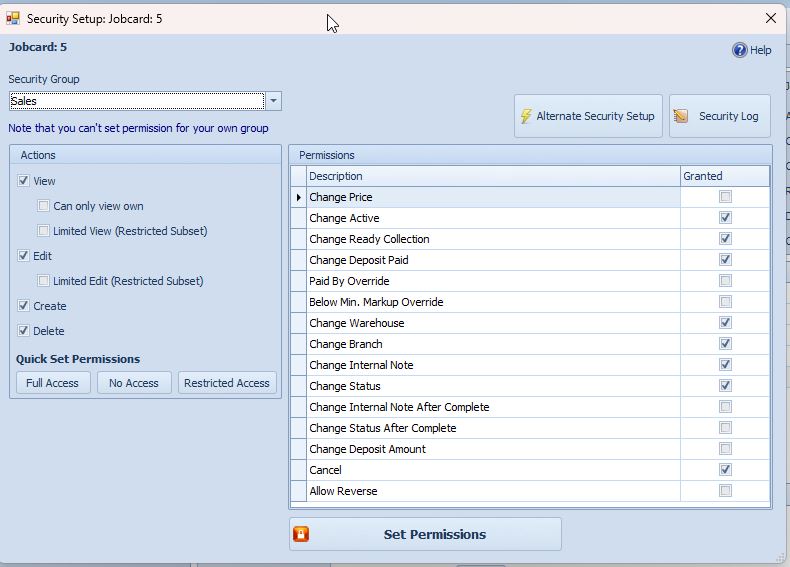
Job Card Security Permissions
If a Job Card function or button is unavailable, for example the Invoice button is greyed out, you may not have the required security permissions.
This applies to all Smart-IT forms, including Job Cards, Invoices, Quotations, Sales Orders, and other transaction forms.
To Configure Security Permissions
1. Open the Job Card.
2. Click the Security Options button on the Quick Access Toolbar at the top of the form.
3. Select the Security Group from the dropdown list for which you want to configure permissions.
4. Set the required permissions.
5. Click Set Permission to save the changes.
Tip: If a user cannot access a specific function or button, first verify that the correct permissions have been assigned to their Security Group.
Keywords: