Quote: Freehand |
Top Previous Next |
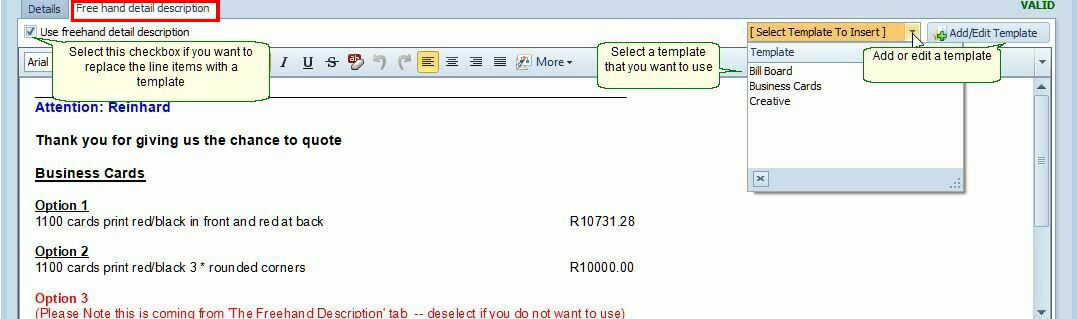
Free Hand Detail Description
How to Access
1. Open the Quote (or Invoice / Job Card).
2. Click on the Free Hand Detail Description tab.
What is Free Hand Detail Description?
Use the Free Hand Detail Description when you want to display a custom typed description instead of the standard itemized list of line items.
This feature replaces the entire body of the quote (or invoice/job card) with your free-form text. It is especially useful for:
•Service-based quotes where listing individual items is not practical
•Quotes with a detailed scope of work or project description
•Simplified or summarized presentations to the client
Availability
The Free Hand Detail Description tab is available in:
•Quotes
•Invoices
•Job Cards
Key Notes
•When active, the freehand description overrides the normal line-item grid.
•You can still keep the line items in the background for internal calculations and profit analysis.
•The printed document will show your custom text in place of the usual item rows.
See the image below