Editing the Dashboard |
Top Previous Next |



Customizable Dashboards
Users can personalize their dashboard using drag-and-drop widgets.
•Available widget types include:
•Charts and graphs
•Financial summaries
Hero KPIs (e.g., Current Cash Balance, Month-to-Date Sales)
Widgets pull data directly from the General Ledger and update automatically — either instantly upon posting or on dashboard refresh.
This allows each user (owner, manager, accountant) to build a dashboard tailored to their role.
Default dashboard
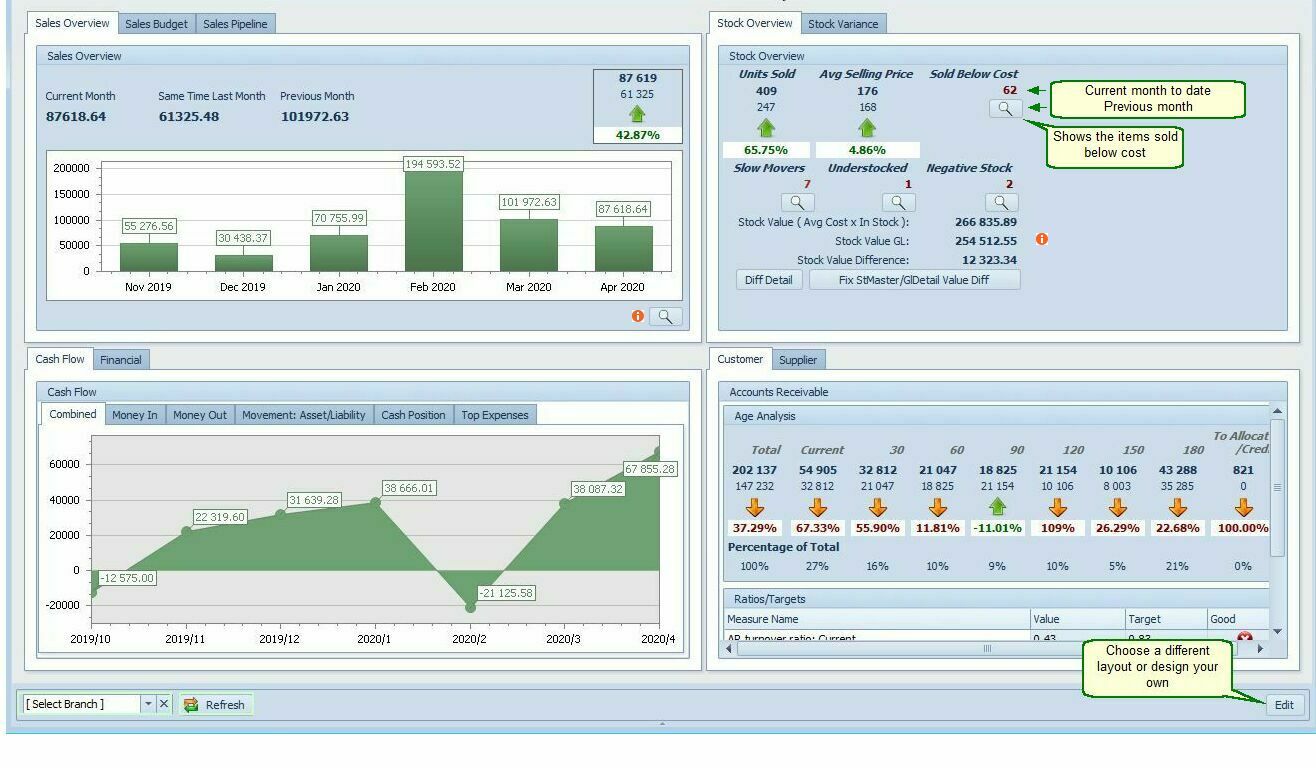
Click the Edit button to open this form.

Customization of the Dashboard
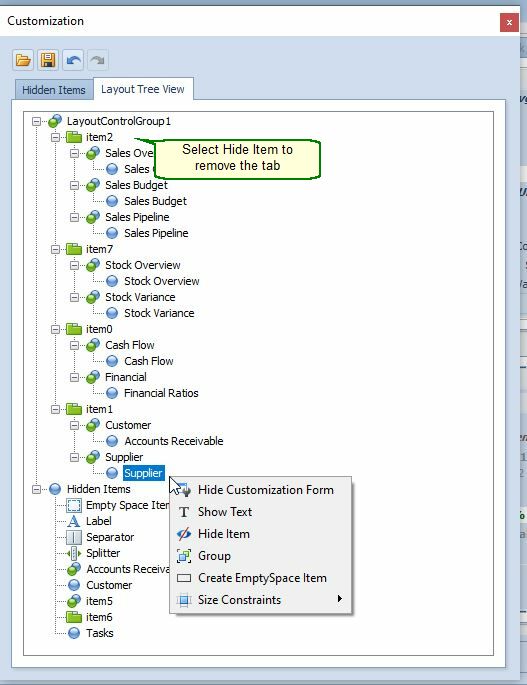
Item X -Hide item moves it to Hidden Items and takes away all the data. Drag it from hidden items to retrieve it. The group with all its sub tabs is removed
Sub Tab - Hide text - Hide the tabs name, but the data is still there. Show text to show the label name.
Sub Tab>Data - Hide item - moves the data to hidden items - drag to retrieve it.
Drag to position the tabs
Note: Go to the Employee Form and choose the employees who will have access to the dashboard.